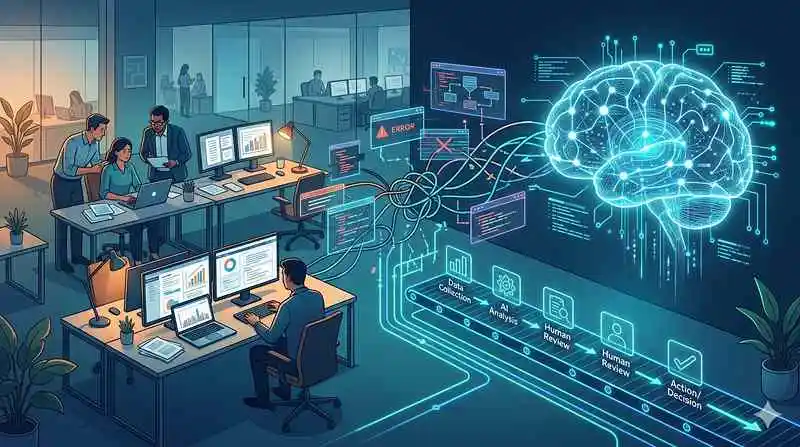
Connecting an AI model to business software may look like a technical project, but the difficult part is often deciding what should happen before and after the model responds. AI integration problems commonly appear when data, permissions, business rules, and error handling are connected without a clearly defined workflow.
Map the process first. Then decide where AI belongs inside it.
Start With the Existing Workflow
Before adding an AI step, document how the task works today. Identify where information enters, who reviews it, which system stores it, what decisions are made, and what happens when something goes wrong.
That exercise often exposes unnecessary steps before any integration code is written.
The AI component should solve a specific problem inside the process. It shouldn’t become an extra layer added simply because an API is available.
Define Inputs and Outputs Precisely
Integrations become fragile when one system expects structured data and another sends unpredictable text. Decide which fields are required, which formats are accepted, and what happens when information is missing.
Teams exploring workflow scripting ideas can use general scripting concepts as background, but production integrations need explicit contracts between each connected system.
Permissions deserve equal attention. An AI service shouldn’t receive access to every available field when the task only requires a small subset.
Validate Data at Every Boundary
Never assume that an upstream system will always send clean data. Empty fields, duplicate records, changed formats, unexpected characters, or incorrect values can break downstream processing.
A broader habit of integration validation checks can reinforce the principle that data should be inspected before it becomes an action.
| Integration Point | Possible Failure | Protection |
|---|---|---|
| Incoming data | Missing fields | Schema validation |
| AI response | Wrong format | Output checking |
| External API | Timeout | Retry rules |
| Final action | Unsafe request | Approval control |
Structured outputs help, but they should still be validated before another system treats them as instructions.
Plan for Timeouts, Errors, and Recovery
Successful demos usually show what happens when every system responds correctly. Production environments also need a plan for unavailable APIs, rate limits, expired credentials, malformed responses, duplicate requests, and partial failures.
Teams can include scheduled integration checks in a wider operational routine to look for recurring failures rather than relying only on user complaints.
Retries also need limits. An uncontrolled retry loop can create duplicate actions or unnecessary service costs. Some failures should stop and request human review instead.
Assign Ownership Across the Whole Connection
An integration touching several systems can fail between team boundaries. The application team may blame the AI service, the AI team may blame the data source, and operations may only see the final error.
Give someone responsibility for the end-to-end workflow. Logs should make it possible to trace a request across each important step without exposing sensitive information unnecessarily.
Ownership becomes especially important when one connected system changes its API, authentication rules, data schema, or usage limits.
Where AI Integrations Commonly Break
A frequent mistake is optimizing for the successful path while treating exceptions as rare. In real systems, exceptions are part of normal operation.
Another mistake is letting free-form AI output directly trigger high-impact actions. Even good models can return unexpected content. Validate structure, apply business rules, restrict permissions, and require human approval where consequences are significant. The safest integration is not the one with the most automation; it’s the one whose failures are controlled.
Frequently Asked Questions
Why do AI integrations fail after working in testing?
Production introduces more users, data variations, traffic, permissions, network conditions, and external dependencies. A workflow that works with clean test inputs may fail when real information reaches it.
Should AI output be sent directly to another system?
For low-risk tasks, validated output may sometimes move automatically. Higher-impact actions should usually pass through stronger rules, permission checks, or human approval before another system executes them.
What should be monitored in an AI integration?
Watch error rates, response times, failed validations, external API problems, unexpected output formats, retries, usage limits, and business outcomes. Technical success alone doesn’t prove the workflow is producing useful results.
Connect the Process, Not Only the APIs
Reliable integration begins with a clear sequence of responsibilities. Define the input, restrict access, validate the model response, handle failures deliberately, and decide who owns the entire workflow when something breaks.
Once those pieces are clear, the AI component becomes easier to test and replace. Good integration design makes the surrounding process dependable instead of assuming the model will compensate for weak connections.